Playing It Back
How a baked line plays at runtime.
In the common case there is nothing FaceCue-specific to do: the clip plays on the character's AudioSource and the face follows it.
The Walkthrough
The third walkthrough is the short one. It plays a baked line at runtime, then sets the same line up on a Timeline.
Watch it on YouTube, or see all three on Media.
The Common Case
Assign the clip to the AudioSource and play it. That is the whole integration.
audioSource.clip = line;
audioSource.Play();
Nothing in that code knows FaceCue exists, and nothing needs to. The character notices the clip that started, looks its cues up by name, and drives the face from them for as long as it plays.
What Has to Be True
Three things, and the first two came from the last page.
- The line is baked. A
<clip name>_phonemes.jsonexists somewhere in the project. Where it sits does not matter, only its name. - The cues are registered, in the registry or in an Addressables group.
- The AudioSource is the one the character reads. The OneClick Wizard adds one under the character and points the Speaking component at it. If you play the clip somewhere else, the character has nothing to follow.
When the Clip Is Not on the AudioSource Field
FaceCue notices a line by watching the clip assigned to an AudioSource. Some ways of playing audio never put it there, and a Timeline is the common one: it plays through the source without assigning the clip to its field.
So FaceCue ships a watcher for that, and there are two.
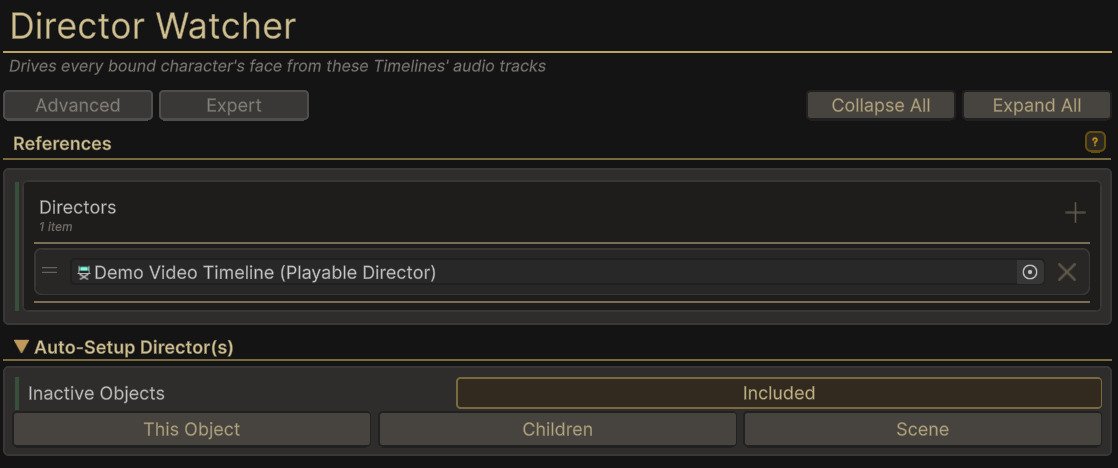
The Director Watcher goes with the directors that play your timelines, and it is the one we recommend. It knows exactly which directors it is watching, and costs nothing while nothing is playing.
The Auto Watcher sits on the character and finds directors by itself, so a cutscene needs no watcher added to it at all. It is experimental, and it pays for that convenience with a small ongoing cost. Start with the Director Watcher and reach for this one only if adding a component per director is impractical.
Timeline covers both, including what happens when two timelines drive one character at once.
More Than the Mouth on a Timeline
Once a timeline is driving the face, it can carry more than the words. There are tracks for emotion, for gaze and for thinking, so a cutscene can say what a character feels, what it is looking at and when it stops to think, on the same clock as the dialogue.
The FaceCue headline video was made exactly that way, which is worth knowing when you are judging how far a timeline can take this.
![Half a minute of the timeline behind the headline video: dialogue clips on an audio track, a gaze clip holding the look on the camera, two Thinking clips on a cognitive events track, and emotion clips such as Proud [0.7], Focused [0.5] and Impressed [1], each drawing its rise and fall](../../assets/timeline-demo.0648bfd4.jpg)
If the Mouth Does Not Move
Check the Console first. FaceCue says so plainly: Cue Data Not Found names the clip it could not find and where it looked, and Speech Fallback FAILURE says why no mode could play the line. Those usually end the investigation, and their absence says something too: if nothing was logged, the clip never reached FaceCue, and the problem is that the character is not watching the source it played on.
When a Clip Will Not Load is the checklist for the rest, in order.
Where to Go From Here
A line is playing and the face is following it. Everything else on this site is about making that visual performance better, and none of it is required.
See what the bake found. The Cue Clip Composer draws the line as rows you can read and correct.
Tune the visual performance. Speech, Emphasis, Emotion, Gaze and Breath each have a chapter, and each is optional.
Say more in the line itself. Transcript Tags let a bake carry emotion and mental state, written into the words. It is the highest return on the least work of anything here.